

Paycom vs Paycor: How Does Sunrise HCM Compare?
If you're weighing Paycom vs Paycor, you've probably already ruled out the tools built for five-person teams. Both platforms assume real complexity: multiple locations, an actual HR function, compliance requirements that shift by state. The decision usually comes down to something narrower than the marketing pages suggest: a tightly controlled system built around data accuracy, or a platform built around industry-specific tools and a lower cost of entry. This guide breaks down both, and adds Sunrise HCM as a third option worth a look before you sign anything.
Paycom vs Paycor vs Sunrise HCM at a Glance
Here's how Paycom vs Paycor vs Sunrise HCM compare across the factors that usually drive the decision.
| Paycom | Paycor | Sunrise HCM | |
|---|---|---|---|
| Best For | Mid-size to large businesses (50–5,000+ employees) | SMBs in healthcare, manufacturing, restaurants, and retail (1–1,000+ employees) | Professional services firms, growing businesses on Salesforce |
| Starting Price | Custom quote (~$25–$36/employee/mo, billed per paycheck) | Custom quote (~$99–$299/mo base plus $6–$16/employee for small business) | $16/employee, $48/manager, $58/HR manager |
| Payroll Processing | Full-service; employee-driven Beti verification | Full-service; AutoRun automatic recurring payroll | Full-service, no per-payroll fees |
| HR Features | Talent, learning, performance, benefits (single database) | HR, onboarding, leadership development, benefits | Unified HR, time, billing, payroll on Salesforce |
| Salesforce Integration | Via third-party connector | Via third-party connector | Native Salesforce platform |
| Implementation Timeline | 3–4 months | 4–8 weeks | 8–12 weeks |
| Support Model | Dedicated rep included; variable post-launch response | Dedicated rep on higher tiers; ticketed queue on lower tiers | Assigned U.S.-based relationship manager and a backup |
| Key Differentiator | Single-database architecture; Beti payroll accuracy | Industry-specific tools; 320+ integration marketplace | Salesforce-native; project billing and payroll in one place |
Payroll, HR, and billing on one Salesforce-native platform
Sunrise HCM brings it all together. No integrations, no workarounds.
What is Paycom?
Paycom launched in 1998 in Oklahoma City and went public in 2014, built around one idea: a single employee record used by every module, so payroll never syncs with a separate HR system that might be a step behind.
Key Features
Beti is the feature Paycom leads with: employees review and verify their own paycheck data before a run processes, catching errors before money moves. IWant layers a command-driven assistant on the database for pulling pay stubs or requesting time off, GONE automates time-off approvals against policy, and background checks and COBRA administration run natively instead of through an outside vendor.
Costs and Considerations
Paycom doesn't publish rates; pricing depends on workforce size and modules selected. Recent benchmarks put the full platform around $25 to $36 per employee per month, billed per paycheck, so a weekly payroll costs more than a biweekly one. Expect a one-time implementation fee on top. What you get for that is a platform built for a business with a real HR function that wants one system of record, not several that have to agree with each other. Teams that have already looked at ADP vs Paycom and landed on Paycom for its structure tend to be the same teams weighing Paycom vs Paycor next.
What is Paycor?
Paycor has been around since 1990, headquartered in Cincinnati, and went public in 2021. Rather than chasing every industry equally, Paycor leans hard into a handful of verticals: healthcare, manufacturing, restaurants, and retail, where frontline managers, not just HR, use the system daily.
Key Features
AutoRun processes recurring payroll automatically once configured, cutting out the manual "click to run payroll" step most platforms require. Smart Sourcing, Paycor's recruiting tool, claims to surface more qualified candidates and cut sourcing costs by roughly a quarter. The COR Leadership Framework, 1-on-1 templates, and nine-box performance grids are built for frontline managers, not just HR specialists, and the integration marketplace lists more than 320 partner apps.
Costs and Considerations
No published pricing here either; Paycor pulled its public pricing page and now quotes every deal individually, often with a promotional 50% discount for the first six months. Recent benchmarks put the small-business tier around $99 per month plus $6 per employee, scaling to $299 plus $16 per employee on the full-featured plan, with costs typically jumping once a company crosses roughly 50 employees and moves to mid-market pricing. Businesses that started this search by comparing Gusto vs Paycor for payroll and outgrew Gusto often land on Paycor next, before the Paycom vs Paycor for small business question even comes up.
Paycom vs Paycor: Side-by-Side Comparison
How does Paycor compare to Paycom for HR and payroll once the sales pages are set aside? Here's where the categories that actually decide the purchase get compared directly.
Payroll Processing
Both platforms solve payroll accuracy from opposite directions. Beti verifies paycheck data before a run processes; AutoRun removes the manual trigger once a cycle is stable. On the Paycor vs Paycom payroll question, it comes down to which failure mode worries you more.
Winner: Tie
Pick Paycom for error correction. Pick Paycor if missed payroll runs are the real risk.
HR Features and Functionality
Paycom keeps HR functionality inside the same payroll database, oriented around compliance and process. Paycor built its HR and hiring tools, including Smart Sourcing for recruiting, around the people managing teams day to day, with leadership templates for frontline managers, not HR generalists. So how does Paycor compare to Paycom for HR and payroll on the people side? On manager enablement, the Paycor vs Paycom comparison clearly favors Paycor.
Winner: Paycor
A real differentiator, not a feature-list checkbox.
Time and Attendance
Time feeds straight into payroll in Paycom's single-database model, with no export or reconciliation step, and GONE handles time-off approvals against company rules. Paycor's time tools tie into AutoRun cleanly, though the architecture isn't as unified. Neither ties time entries to project billing or client invoices, a gap Salesforce time and expense tracking closes natively.
Winner: Paycom
Removes a small reconciliation step Paycor still has.
Tired of juggling multiple HR tools?
Sunrise HCM replaces the patchwork with one powerful platform built on Salesforce.
Integrations
Paycom's single database is deliberately closed off, built to be self-sufficient rather than to connect broadly. Paycor takes the opposite approach with 320-plus partner integrations, the stronger position for a company already running tools it isn't planning to replace.
Winner: Paycor
For any business keeping its existing tech stack, this isn't close.
Customer Support
Paycom assigns a dedicated rep as standard, with no extra fee, though responsiveness reportedly dips after go-live. Paycor's model is tiered: higher plans get a dedicated contact, lower tiers route tickets through a queue. The Paycor vs Paycom support comparison isn't close on that entry tier.
Winner: Paycom
A dedicated rep with no fee beats a support tier that depends on your plan.
Pricing and Transparency
Neither vendor publishes a rate card, so budgeting starts with a sales call either way. Paycor's small-business tier starts around $99 a month plus $6 per employee, well under Paycom's $25-plus per employee before its implementation fee even enters the math. That gap narrows at mid-market, but the small-business math still favors Paycor.
Winner: Paycor
Lower entry-level cost, with setup fees commonly waived for new customers.
Reporting and Analytics
Paycom's reporting runs deep, including a usage-analytics tool with ROI validation from an outside accounting firm, a rigor most competitors don't offer. Paycor's reporting covers standard needs well, but custom analytics and workforce cost modeling hit a ceiling faster for complex data needs.
Winner: Paycom
Matters if your HR team builds on the data rather than just exporting it.
Pros and Cons of Paycom vs Paycor
Paycom
| Pros | Cons |
|---|---|
| Single-database architecture eliminates data sync issues across modules | No published pricing, and billing runs per paycheck |
| Beti payroll reduces errors through employee-driven pre-run verification | Deliberately limited third-party integration ecosystem |
| Dedicated support rep included at no extra fee | Implementation timeline runs longer than Paycor's |
| Deep reporting with EY-validated ROI analytics | Less built for industry-specific frontline manager needs |
Paycor
| Pros | Cons |
|---|---|
| Lower entry-level cost than Paycom, with a common first-6-months promo | Promotional discount expires at month seven; support tied to plan tier |
| 320+ partner integration marketplace | No employee-driven payroll verification equivalent to Beti |
| Smart Sourcing improves recruiting efficiency and candidate volume | Custom reporting hits a ceiling faster than Paycom's |
| Leadership development tools built for frontline managers | No native Salesforce integration |
Real User Reviews For Paycom and Paycor
Paycom earns around 4.3 out of 5 on G2, 4.4 out of 5 on Capterra, and 8.5 out of 10 on TrustRadius.
- Praise centers on Beti and the single database for cutting down reconciliation work
- Criticism focuses on implementation taking longer than expected and support responsiveness dipping after go-live
- Compared to Paycor, one tightly controlled system and payroll accuracy are what the higher per-employee cost buys
Paycor earns around 4.4 out of 5 on G2, 4.4 out of 5 on Capterra, and 8.0 out of 10 on TrustRadius.
- Praise centers on industry-relevant workflows and manager tools, especially from reviewers in healthcare and manufacturing
- Criticism focuses on support quality that varies sharply by plan tier and reporting that feels shallow past the basics
- Compared to Paycom, Paycor wins on entry price, integration breadth, and frontline manager tools
Teams that previously worked through Paycom vs Paylocity and chose Paycom for its structure tend to say the same about Paycor: capable, just built for a different buyer. In the Paycor vs Paycom review picture, the split tracks with company size and industry, not overall quality.
Why Sunrise HCM is Worth Comparing Alongside Paycom and Paycor
The Paycom vs Paycor decision assumes you're choosing between two standalone HCM platforms, each with its own separate connection to whatever system runs your actual client work. For a professional services firm on Salesforce, that assumption is the problem.
Paycom's pitch is a single internal database. Paycor's pitch is a broad integration marketplace. Sunrise HCM takes a third position: it runs inside Salesforce, not just alongside it. HR records, payroll, time entries, and project billing live in the same environment as client accounts and revenue data, with no connector to maintain and no month-end reconciliation. Salesforce payroll software and Salesforce billing software built into the same platform mean workforce cost and billable revenue show up together automatically.
Pricing is published, not quoted: $16 per employee, $48 per manager, $58 per HR manager, and a $58 base fee, with no per-paycheck billing the way Paycom charges. Every customer gets an assigned, U.S.-based relationship manager and a backup, not a premium add-on the way Paycor's model works. Implementation runs 8 to 12 weeks with parallel payroll cycles before cutover, and the platform is SOC 2 Type II certified, with Salesforce HRIS functionality built in.
Neither Paycom nor Paycor was built with Salesforce-native billing in mind. If your business runs client work through Salesforce and bills by the hour, that gap doesn't close no matter which of the two you pick.
Transparent pricing. Powerful results.
See why teams are switching to the only Salesforce-native payroll solution.
Parting Thoughts on Paycom vs Paycor
The Paycom vs Paycor split comes down to what kind of company you are, not which platform is objectively better. Paycom fits a business that wants one tightly controlled system and values payroll accuracy above almost everything, even at a higher per-employee cost. Paycor fits a business in a specific vertical, healthcare, manufacturing, restaurants, or retail, that wants frontline manager tools, a lower entry price, and a wider integration library.
If you're considering switching from Paycor to Paycom because you've hit a ceiling on reporting or accuracy, make sure that's the actual gap before you pay more to close it. And if your business bills clients through Salesforce, the Paycom vs Paycor question may not be the one you need answered. Put Sunrise HCM on the list before you decide.
See how it all works together
Get a personalized walkthrough of Sunrise HCM. No pressure, no commitment.
Frequently Asked Questions
Which is better, Paycom or Paycor?
It depends on what you're optimizing for. Paycom wins on payroll accuracy, deep reporting, and a single unified system, at a higher per-employee cost. Paycor wins for a business in healthcare, manufacturing, restaurants, or retail that wants frontline manager tools, a broader integration marketplace, and a lower starting price. Industry fit settles the Paycor vs Paycom question more than headcount alone.
What are the downsides of Paycom?
Cost is the first one: no published pricing, and estimates put it above Paycor for a comparable headcount, which is usually where the Paycom vs Paycor for small business math tips toward Paycor. The single-database architecture also limits companies that want to keep an existing tech stack, since Paycom's integration ecosystem is intentionally narrow. Support is strong during implementation but gets inconsistent once you're live. Teams that found Paycom too structured sometimes compare Gusto vs Paycom instead.
What are the drawbacks of Paycor?
Support is tiered, so the experience depends heavily on your plan, with lower tiers routed through a ticketed queue instead of a dedicated contact. Reporting covers the basics but doesn't go as deep as Paycom's for custom analytics or workforce cost modeling, and there's no payroll verification step equivalent to Beti, so error-catching happens after a run rather than before it.
Why are businesses switching from Paycom or Paycor to Sunrise HCM?
Almost always it's Salesforce. A firm running client work and billing through Salesforce tires of reconciling payroll data from a system that was never built to talk to it. Sunrise HCM removes that by running payroll, HR, and billing natively inside Salesforce. The second driver is pricing: published rates instead of a custom quote.
How do Paycom and Paycor compare on integrations?
Paycor has the clear advantage, with a marketplace of more than 320 partner integrations so companies don't have to replace their existing tools. Paycom's single-database model is intentionally closed, a strength for companies going all-in and a limitation for everyone else. Neither integrates natively with Salesforce, the gap Sunrise HCM was built to close.

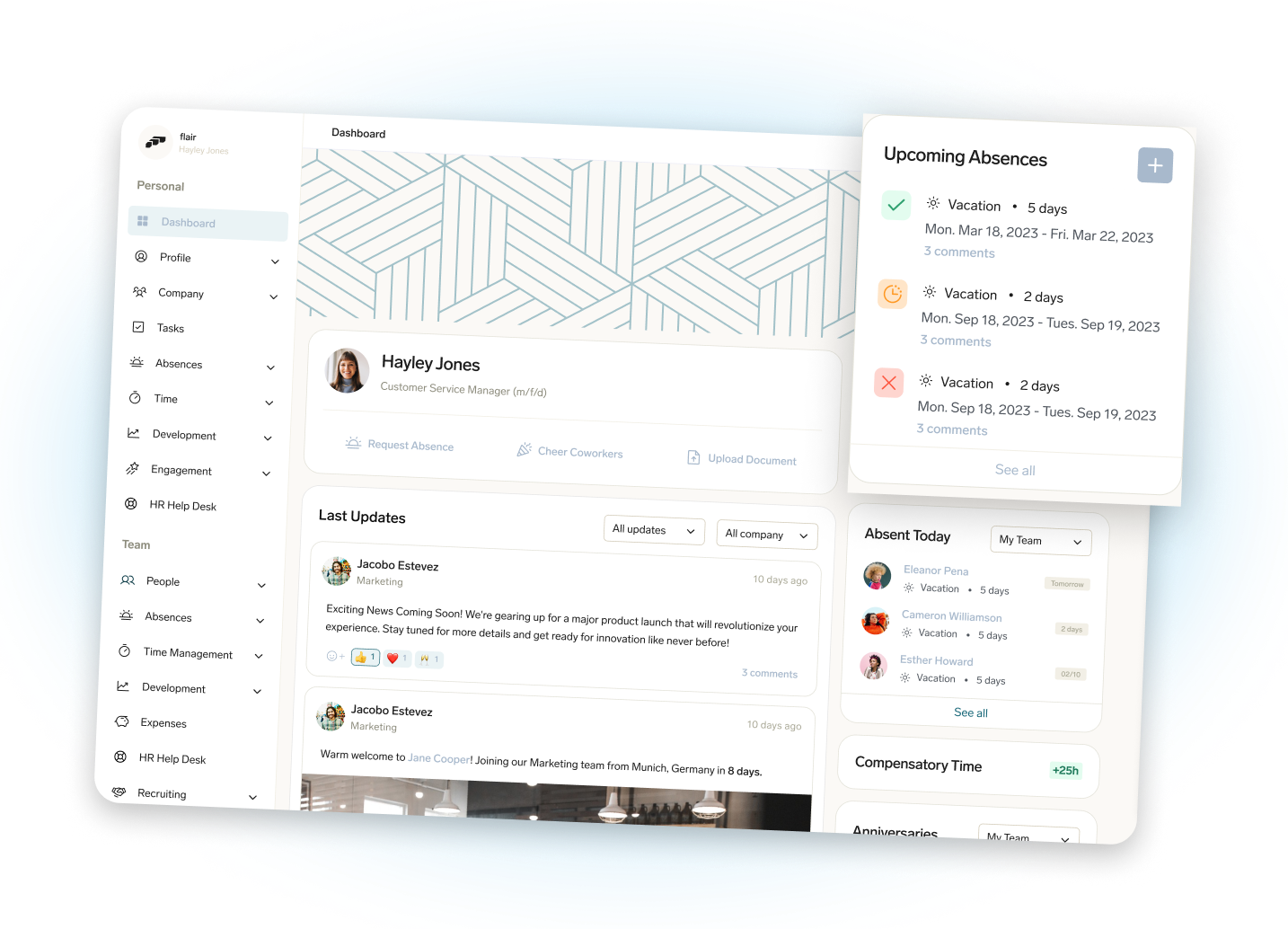


Ready to eliminate payroll fees, and simplify HR processes?
Discover how Sunrise HCM helps you automate payroll, HR, and billing with one secure and powerful Salesforce-native platform.

