Rippling vs Paycom: Comparison With Sunrise HCM
Compare Rippling vs Paycom for 2026, including payroll features, HR software capabilities, integrations, and user feedback. Find the right payroll platform for your U.S.-based business.
The Rippling vs Paycom decision rarely comes down to a missing feature. It comes down to which problem you're actually trying to solve. Rippling is for teams that want HR, IT, and payroll managed together on one platform, roughly 50 to 500 employees, with automation doing the connecting work. Paycom is for mid-to-large U.S. businesses that want airtight payroll where employees handle their own data. They're solving different things. Which one fits depends entirely on which problem is yours.
Rippling vs Paycom vs Sunrise (Quick Comparison)
What is Rippling?
Picture a new hire's first day. HR creates the record, IT sets up software access, payroll gets updated, someone updates the org chart. Rippling's premise is that one trigger should handle all of it. The platform puts HR, IT, and payroll on a shared data layer so adding, changing, or offboarding someone cascades automatically. The catch: a full setup costs considerably more than the base price suggests.
Rippling Quick Summary:
- Strength: Unified HR, IT, and payroll with strong automation
- Integration: Hundreds of third-party apps natively; open API for custom builds
- Custom work: Highly configurable automation, no code required
- Cost: Modular pricing starting ~$8/user/month; full stack typically $20–40 PEPM
Pros
- HR and IT in one place. App provisioning and device management update when someone joins or leaves.
- Wide integration library. Hundreds of third-party applications including finance systems.
- Automation cuts manual tasks. Trigger-based workflows handle repetitive HR processes without code.
Cons
- Modules add up fast. A fully built-out stack gets expensive quickly.
- Payroll depth lags specialists. Complex U.S. payroll needs may hit limitations.
- Support is tier-dependent. Lower plans get slower response times.
What is Paycom?
Most payroll systems are built to minimize how often HR has to fix things. Paycom asked a different question: what if employees caught errors before they became HR's problem? That's Beti. Employees review their own pay data before each run, flag anything off, and the correction happens before anyone else gets involved. The rest of the platform follows that same logic: everything in one system, accuracy over flexibility.
Paycom Quick Summary:
- Strength: Single-database payroll with employee-driven accuracy via Beti
- Integration: Closed architecture by design; limited third-party connections
- Custom work: Deep configuration within the platform; minimal outside customization
- Cost: Independent industry research estimates $22–36 PEPM; no published pricing
Pros
Employee-driven accuracy. Beti (Better Employee Transaction Interface) lets employees verify pay before each run, reducing errors and HR workload.
- Single database. Every change updates instantly across the entire system.
- Strong tax management. Federal, state, and local filings handled automatically.
Cons
- Limited third-party integrations. External tools require custom API work.
- No published pricing. You need a sales call to get a number.
- Steeper setup. Plan for four to eight weeks of configuration.
Rippling vs Paycom: Side-by-Side Comparison
This Rippling vs Paycom HRIS breakdown keeps returning to the same split: Rippling connects outward, Paycom closes inward. One is built for flexibility and cross-system reach; the other for control and single-source accuracy. Neither publishes pricing upfront, and neither natively connects payroll to project billing.
Onboarding Speed
Rippling can be live with basic HR and payroll in two to three weeks. Add IT modules or advanced automation and that stretches, but the baseline is fast. Paycom takes four to eight weeks, and that's intentional. The depth of configuration during setup is part of what makes the system accurate on day one.
Winner: Rippling. Faster baseline setup for teams that don't need Paycom's payroll depth.
Payroll Features
A Paycom vs Rippling comparison on payroll is really about how central payroll is to each platform's identity. Rippling handles multi-state tax management, covers U.S. jurisdictions, and processes most scenarios cleanly. But payroll shares the stage with HR and IT. For Paycom, it's the whole show. Federal 941/940, SUI, W-2s, 1095-C, multi-state nexus, and Beti-driven accuracy are the core of what the system was built around.
Winner: Paycom. Built for payroll first, and the Beti model genuinely reduces errors.
HR Capabilities
Rippling's HR, IT, and payroll share a single data layer: benefits, performance reviews, applicant tracking, and device management all update from one source. Paycom covers the same HR ground inside its closed system. You trade outside flexibility for payroll data that never drifts.
Winner: Tie. Rippling wins on flexibility. Paycom wins on payroll-connected HR depth.
Reporting and Analytics
Rippling puts HR, payroll, and IT data in the same dashboard: headcount trends, labor costs, and app usage together. Paycom's reports are solid for standard payroll and HR views but feel rigid when questions fall outside those categories.
Winner: Rippling. Better cross-functional reporting for teams that want HR and IT data in one place.
Support Reliability
For a Rippling vs Paycom. Support is a friction point on both sides of the Paycom vs Rippling debate. Rippling's quality is tied to your tier: lower plans get chat and email with variable response times. Paycom gives most clients a dedicated rep and 24/7 access at higher tiers. More consistent when something breaks mid-payroll.
Winner: Paycom. More consistent availability and fewer multi-system complications.
Data Migration
Rippling's migration complexity scales with your module mix. Standard HR and payroll data moves cleanly; IT and identity management needs more planning. Paycom's single-destination model is simpler to migrate into, though the flexibility you trade is gone once you're there.
Winner: Tie. Depends on your setup and how many Rippling modules you're activating.
Integrations
Rippling's clearest advantage. Hundreds of native third-party connections plus an open API for anything not in the marketplace. Paycom is closed by design, and connecting an outside tool means custom API work.
Winner: Rippling. Significantly broader options for teams with existing finance or niche tools.
Automation
Rippling's trigger-based workflows handle onboarding, offboarding, compliance alerts, and app provisioning without code. Paycom automates well within its own domain, covering payroll, tax filings, and benefits enrollment, but that automation doesn't reach outside the platform.
Winner: Rippling. Broader automation scope, especially for IT-adjacent workflows.
Compliance
For a Rippling vs Paycom HRIS evaluation, compliance is where Paycom's single-database focus pays off. A dedicated team monitors labor law changes and pushes updates automatically, with no lag between a regulatory change and your next payroll run. Rippling handles U.S. compliance well and adds global coverage through employer-of-record services, but U.S. payroll compliance isn't its center of gravity.
Winner: Paycom. Deeper U.S. compliance specialization. Rippling wins for global compliance needs.
Usability
Rippling's interface is clean and most users find their footing quickly. Paycom's employee-facing experience around Beti is well-designed; the admin side can feel dense for managers who dip in occasionally.
Winner: Rippling. More consistent user experience across admin and employee interfaces.
Pricing
The Paycom vs Rippling pricing comparison starts with the same frustration: neither makes it easy to know what you'll pay before a sales call. Rippling starts around $8 per user per month; a real-world stack typically runs $20–40 PEPM. Paycom doesn't publish pricing. Independent industry research puts it at $22–36 PEPM plus implementation fees. Sunrise HCM publishes everything: $16 per employee, $48 per functional manager, $58 per HR Manager, $58 base fee.
Winner: Sunrise HCM. The only platform here with transparent published pricing.
Real User Reviews
Rippling:
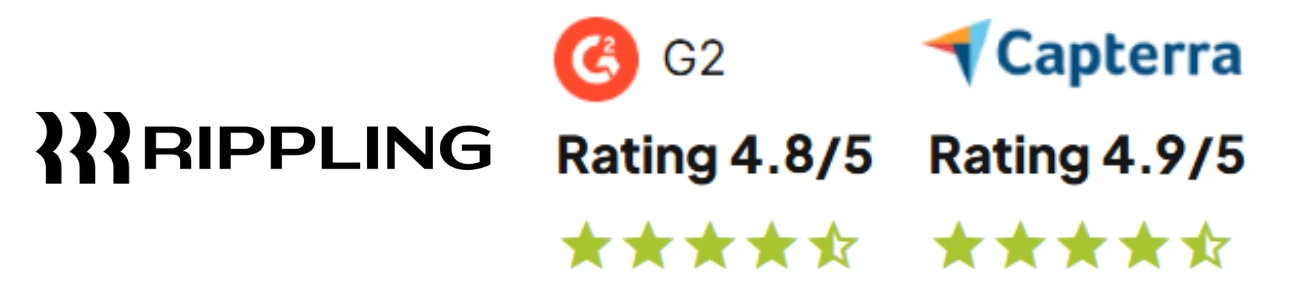
- G2: 4.8/5 based on 5,000+ reviews (March 2026)
- Capterra: 4.9/5 based on 3,000+ reviews
- Positive: "Setup was fast, and automation handles what used to take hours" (HR Manager)
- Critical: "Support response times can be slow when you need help fast" (Operations Director)
Ease-of-use scores are exceptional; support quality and pricing transparency draw the most criticism.
Paycom:
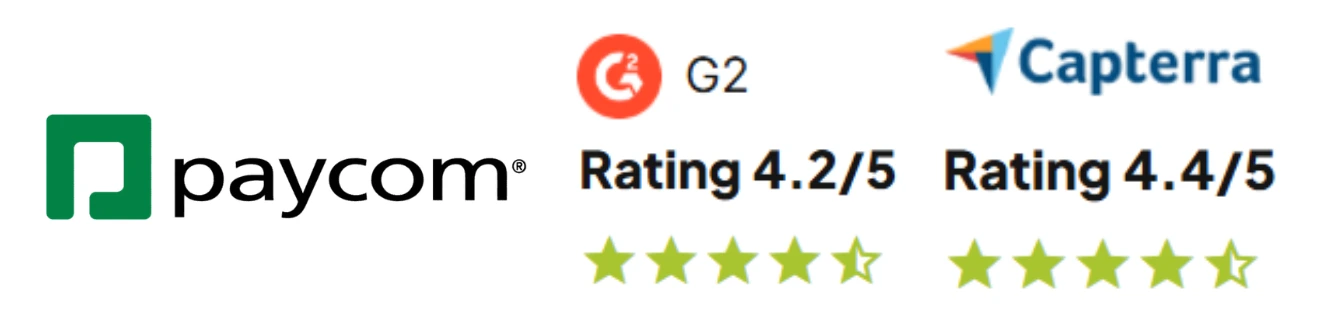
- G2: 4.3/5 based on 900+ reviews (March 2026)
- Capterra: 4.4/5 based on 900+ reviews
- Positive: "Beti changed how we run payroll. Errors dropped to almost nothing" (Payroll Specialist)
- Critical: "Pricing conversations take longer than expected, and costs add up" (Business Owner)
Paycom scores highest on payroll accuracy; pricing opacity draws consistent criticism.
Ratings and quotes from G2, Capterra, TrustRadius as of March 2026. Quotes shortened for clarity.
Is Sunrise HCM a Better Solution Than Paycom and Rippling?
There's a workflow problem neither platform solves. If your team bills time to clients, running payroll isn't the end of the month's work. Someone still has to move that data into billing, match it against project records, and get invoices out. With Rippling or Paycom, that reconciliation is manual. With Sunrise HCM, it isn't.
Built on Salesforce, No Salesforce Required
Sunrise HCM runs on Salesforce, but you don't need an existing instance. The platform license is included in your subscription, nothing extra to buy. Your data lives in infrastructure that banks, hospitals, and government agencies have relied on for over 20 years. Already on Salesforce? We discount your pricing based on the licenses already in place.
Enterprise Security by Design
SOC 2 Type II compliance, encryption in transit and at rest, role-based access control, and multi-factor authentication are all standard. Enterprise-grade security, none of the infrastructure work.
Real-Time Data Integration
With Salesforce time and expense built in natively, a single time entry flows to both payroll and client billing. Change a role in HR and it updates immediately across time tracking and Salesforce billing software. Nothing to export. Nothing to reconcile.
True Scalability
Three platform releases per year, zero downtime, no upgrade fees. New capabilities show up without a migration project.
U.S.-Based Support Included
Every client gets a dedicated U.S.-based relationship manager and a designated backup. No extra fees for premium support tiers, no offshore call centers.
Transparent Pricing
- $16 per employee per month
- $48 per functional manager per month (employees who approve time and expenses)
- $58 per HR Manager per month (HR administrators and power users)
- $58 base fee per month
Everything included: Salesforce payroll, tax filing, W-2s, a native Salesforce HRIS, time tracking, expense management, and project billing. No per-payroll fees. No surprise charges. Discounted pricing available for nonprofits, government organizations, and educational institutions.
When Sunrise HCM makes sense:
- You need payroll and project billing connected in one system
- You want enterprise security without managing infrastructure
- You value published, predictable pricing
- You're a professional services firm tracking billable time
When to stick with Rippling or Paycom:
- You need IT management and app provisioning alongside HR (Rippling)
- You want employee-driven payroll verification via Beti (Paycom)
- You need global payroll across multiple countries (Sunrise is U.S. only)
Implementation takes 8–12 weeks, including full configuration, training, and parallel payroll runs before you go live.
Contact us to see how payroll, HR, time, and billing work together in one system.
Parting Thoughts on Paycom vs Rippling
Strip away the feature lists and most Paycom vs Rippling decisions come down to one question: does your HR system need to also manage IT, or does your payroll just need to be right every time? Rippling answers the first. Paycom answers the second. Neither publishes pricing before a sales call, and neither handles project billing natively.
If this Rippling vs Paycom HRIS comparison hasn't closed it, the Gusto vs Rippling article looks at Rippling against a different competitor. The Paycom vs Paylocity and ADP vs Paycom pieces are worth reading if Paycom is still on your list.
Frequently Asked Questions
Is Rippling a good payroll system?
Yes, though "good" really depends on what you need it to do. For a straightforward payroll run covering direct deposit, multi-state filings, and automated compliance, Rippling handles it without much fuss. Where it gets genuinely useful is when payroll isn't the only thing you're managing. If you're also onboarding people, setting up software access, and managing devices, having all of that update from one trigger saves real back-and-forth. If payroll precision and U.S. compliance depth are what keep you up at night, Paycom is the more dedicated tool for that job.
What does Paycom specialize in?
Getting payroll right before it goes out, not after. That sounds obvious, but most platforms are built to make it easy to fix errors after they happen. Paycom flips that with Beti. Employees review their own pay data before each run and flag anything off. The correction happens before it becomes anyone else's problem. The rest of the platform follows that same logic: applicant tracking, performance management, time and attendance, and benefits, all inside one closed system built around clean data and minimal cleanup.
Is Rippling better than Paycom?
Honestly, asking which is "better" is a bit like asking whether a Swiss Army knife is better than a chef's knife. Depends what you're cutting. Rippling is the right call if you need HR, IT, and payroll connected with room to plug in other tools. Paycom is the right call if payroll accuracy is the main priority and you'd rather have one tight system than a lot of integrations to manage. In most Paycom vs Rippling comparisons, the decision comes down to one question: is your biggest frustration that your systems don't talk to each other, or that payroll keeps needing corrections?
What makes Sunrise better than both?
It's not that Sunrise is better at payroll than either of them. It's that it solves a problem neither one addresses. If your business bills time to clients, running payroll is only half the month-end job. Someone still has to reconcile that time data against project records and get invoices out. With Rippling or Paycom, that part is manual. With Sunrise HCM, it isn't. Time entries flow to both payroll and client billing automatically, built natively on Salesforce. Pricing is published upfront, a dedicated U.S.-based support manager is included at no extra cost, and there are no per-payroll fees.



Ready to eliminate payroll fees, and simplify HR processes?
Discover how Sunrise HCM helps you automate payroll, HR, and billing with one secure and powerful Salesforce-native platform.
Keep Reading